Ad Blocker: Block Ads & Popups
Whatsticker Apps S.R.L.
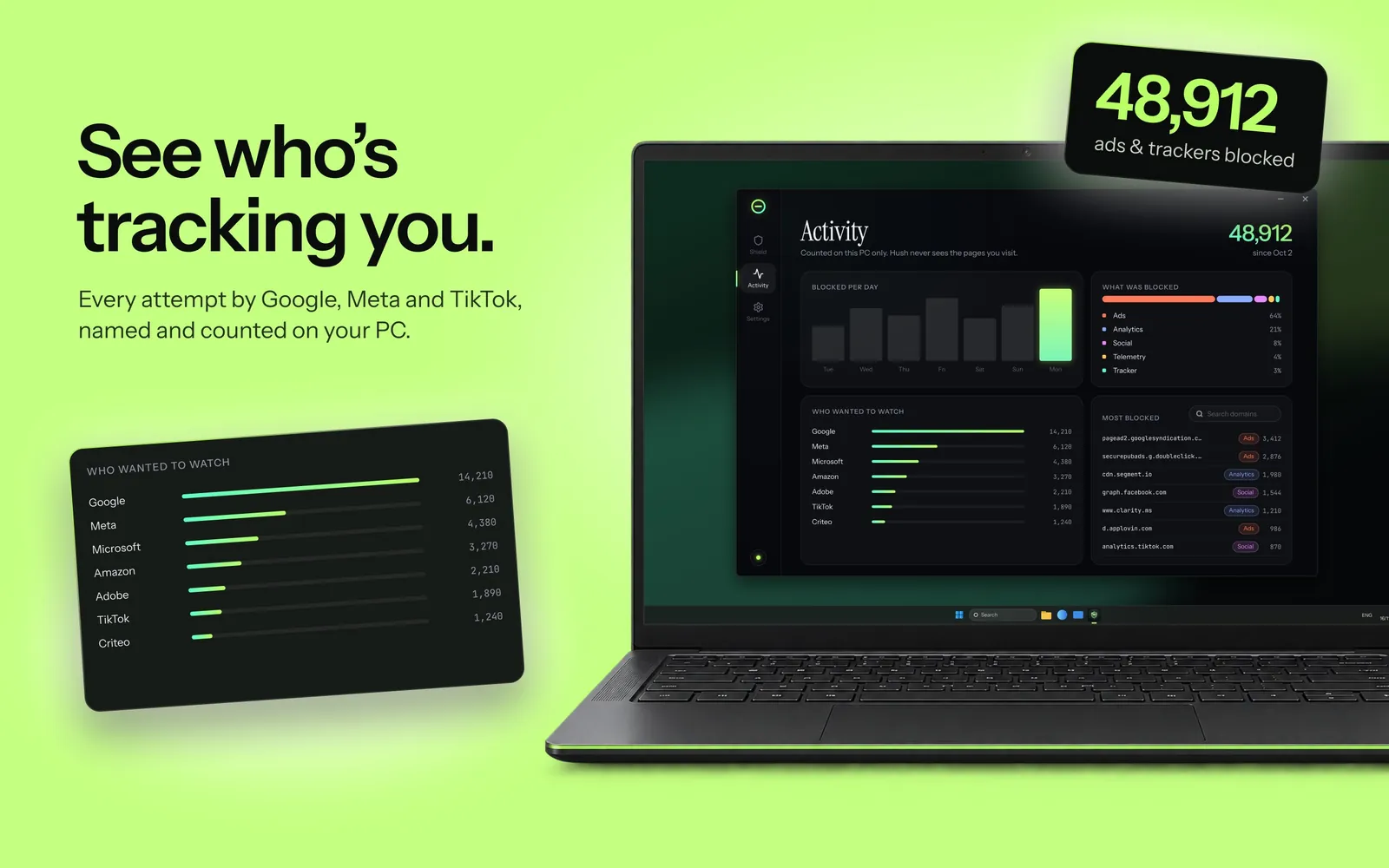
See who is tracking you.

Free trial · Offers in-app purchases

Screenshots
Description
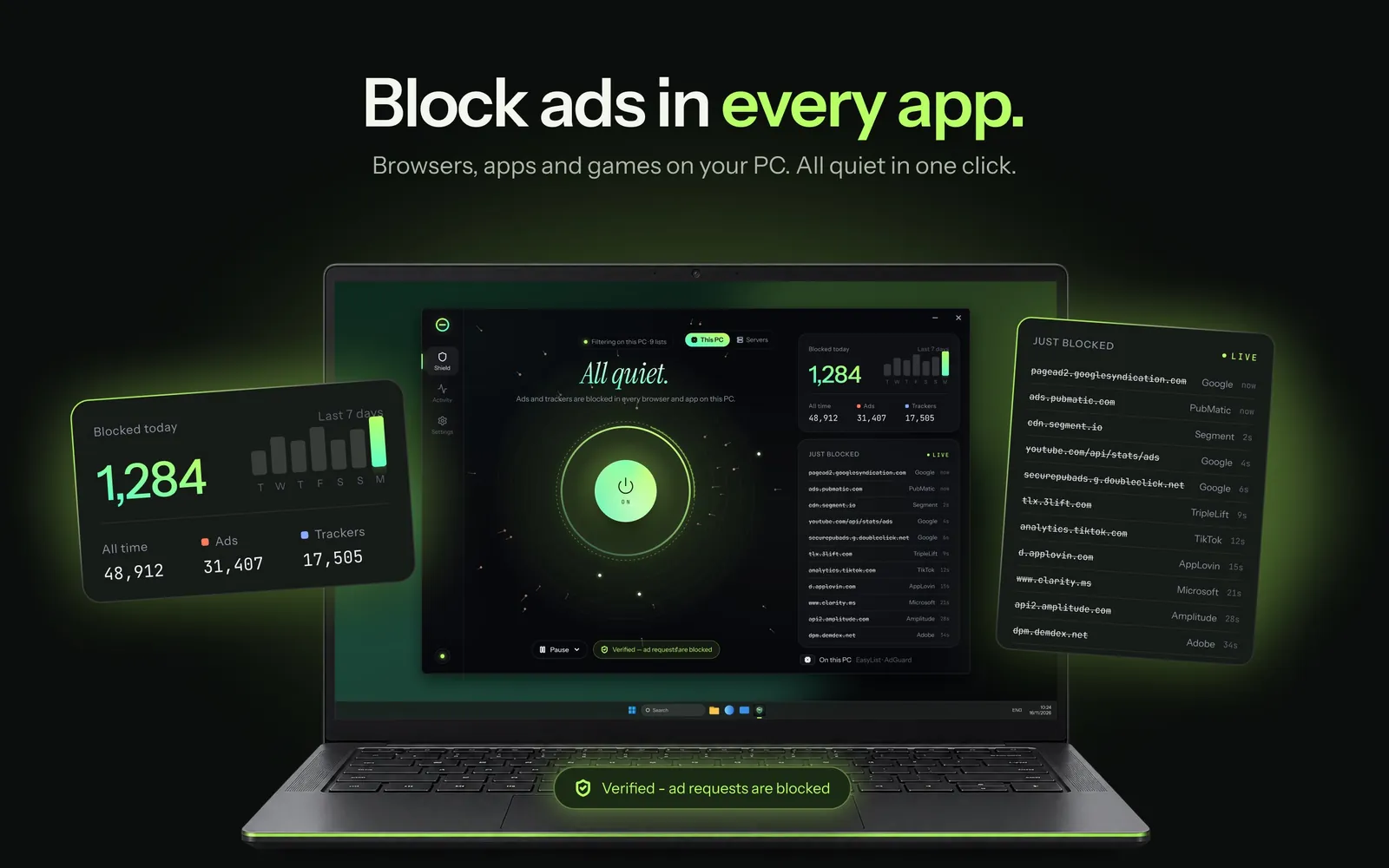
Tired of ads, popups and trackers following you around? Ad Blocker is an ad blocker for your Windows PC. It removes ads in all major browsers at once, with one tap.
There's no browser extension to add and no tricky settings. Do a quick one-time setup, and this adblocker can start with Windows and work quietly in the background.
Want to block pop up ads, skip video ads that play before and during videos, and stay away from scam and phishing websites? It handles all of that. Empty ad spaces are hidden too, so pages look clean and tidy.
You stay in control. A live feed shows the ads and trackers being blocked and which companies are behind them. Clear statistics show how much you have blocked today, in the last 7 days and over time.
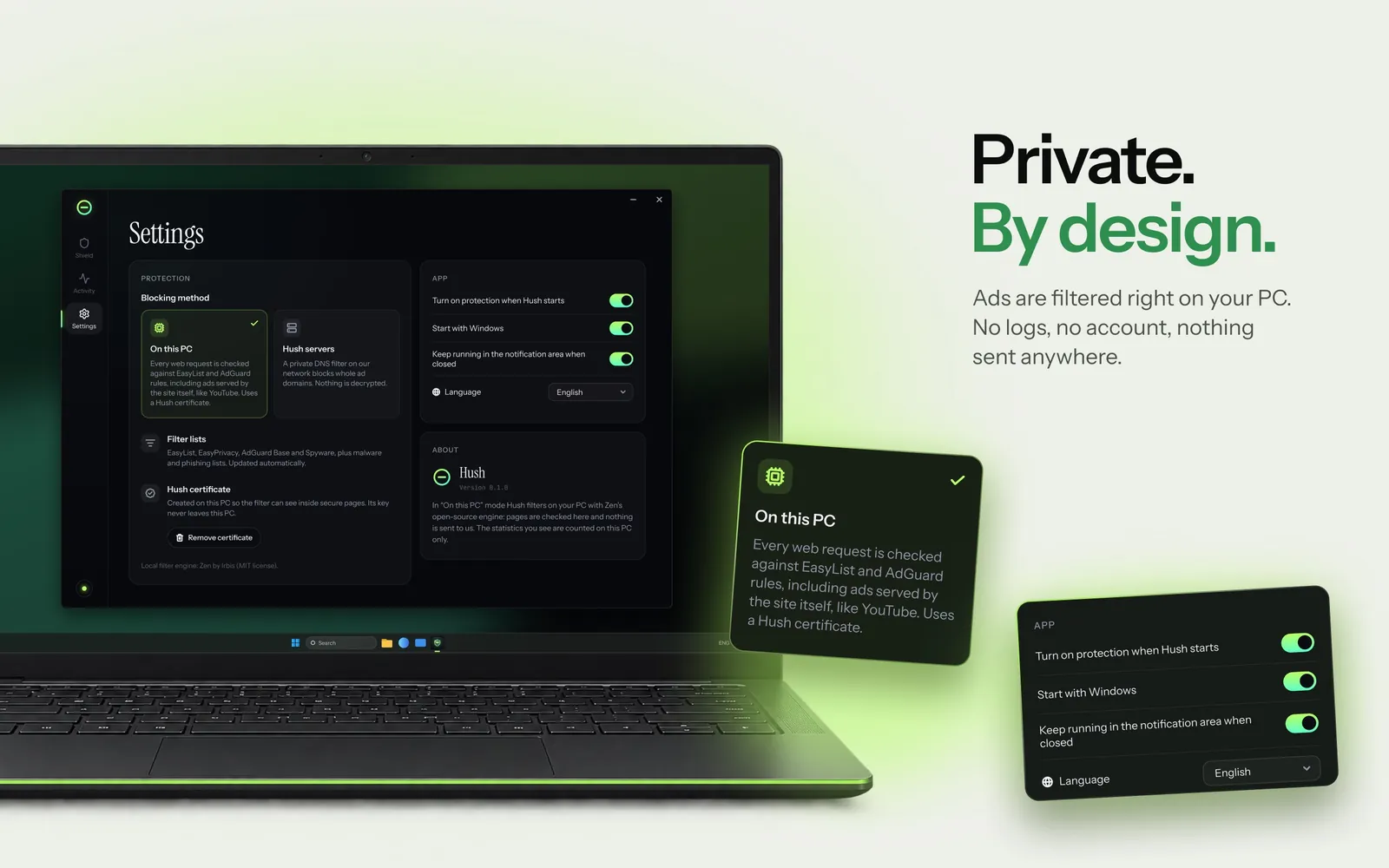
Choose the protection that suits you. "On this PC" checks pages right on your computer, so your browsing is never sent to us. "Secure servers" blocks ad websites through our private servers before they reach you.
Call it an ad blocker, a popup blocker or an add blocker. The idea is the same: block ads, remove ads and enjoy cleaner, more private browsing. Available in English and Italian.
Key Features
- Block ads, banners and popups in all major browsers at once, with no extension to install.
- Skip video ads that play before and during videos on popular video sites.
- Stop trackers and analytics from following you from site to site.
- Stay away from scam, phishing and malware websites, blocked before they load.
- Get cleaner pages, with empty ad spaces hidden.
- Keep your browsing on your own computer: in On this PC mode, nothing you visit is sent to us.
- Pick a server country or let the app choose the fastest, and it switches over if one stops responding.
- Watch ads and trackers being blocked live and see which companies are behind them.
- Check your numbers with daily, 7-day and total statistics, plus the websites blocked most often.
- Turn protection on or off with one tap, or pause it for 15 minutes, 1 hour or until you resume.
- Verify with one click that ads are really being blocked, and clear your history whenever you like.
- Rely on protection that starts with Windows and keeps running from the system tray.
System requirements
- OS
- Windows 10 version 17763.0 or higher, Windows 11
- Architecture
- x64
- Download size
- About 167 MB
- Installation
- Sign in with your Microsoft account and install on up to ten Windows devices.
- Languages
- Arabic, Chinese, Dutch, English, French, German, Indonesian, Italian, Japanese, Korean, Polish, Portuguese, Russian, Spanish
Additional information
- Published by
- Whatsticker Apps S.R.L.
- Category
- Security
- Age rating
- ESRB Everyone · In-App Purchases
- Price
- Free to download, with a free trial. Some features are paid, bought in the app through your Microsoft account.
- What you download
- A small installer made by Microsoft. It installs Ad Blocker from the Microsoft Store and opens it when ready.
- Uninstall
- Settings › Apps › Installed apps › Ad Blocker › Uninstall
- Privacy and terms
- Privacy policy · Terms & Conditions · Microsoft Standard Application License Terms
- Contact
- [email protected]